


Go to Tools - VSdocman menu or press VSdocman button on standard toolbar. VSdocman dialog appears, select Project Properties pane. Set Output - Documentation Format page.
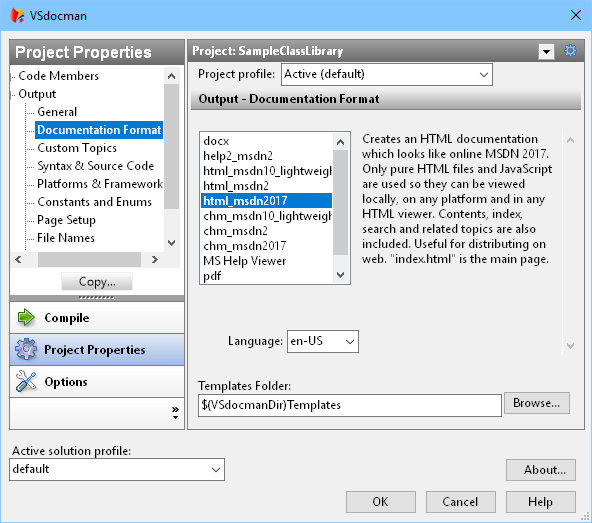
Documentation Format
In the left frame, there is a list of all available templates. A template determines the form of output documentation. User can make his own templates to define new formats. VSdocman already contains these formats:
•MS Help Viewer - help used in VS 2010 and higher
•Help2 - help used in VS 2002-2008
•CHM
•HTML
•docx - OOXML format used in MS Word 2007 and higher
•XML
Selecting a template shows its description on the right side.
Language
Specifies the language of generated documentation.There is a list of predefined languages. You can easily add another language by translating one text file. It will automatically appear in this list.
Templates Folder
You can specify a folder where the templates are located. This is useful if you create your own templates. The default is "\Templates" folder in VSdocman installation folder.
You can use the following path macros: $(ProjectDir), $(SolutionDir), $(VSdocmanDir), $(ProjectName), $(SolutionName) and $(ProfileName). For example you can define the folder as $(VSdocmanDir)Templates. This is useful when sharing .vsdoc project properties in a source control system.
