


VSdocman is an ultimate, fast and easy to use .NET documenting tool for every Visual Studio C# and VB developer.
- Document your .NET code on a professional level.
- Generate comprehensive MSDN-style class documentation for your C# and Visual Basic .NET projects, with custom topics, IntelliSense and F1 context sensitive help.
- See how easy the code commenting with XML doc comments can be with powerful comment templates and sophisticated WYSIWYG comment editor.

VSdocman - a .NET documentation compiler - is directly integrated in Visual Studio so it will assist you with complete process of creating a documentation. This includes intelligent semi-automatic commenting of your code elements, creating additional topics (non-API reference) and generating and deploying the documentation.
Based on your settings, VSdocman scans a VS project or a solution, and then it generates the final documentation. It automatically reads namespaces, types and their members. Summary, remarks, parameter descriptions and other content are extracted from XML documentation comments in your code (those that start with /// or '''). The tool will boost your productivity no matter whether you create a class library, a component, a control, an application, a web site (ASP .NET) or any other C#/VB project type.
Move your documenting to the next level
Productivity
 Everything directly in Visual Studio. Save your time, effort and money. With VSdocman, you can generate documentation from the .NET XML comments with just a single mouse click.
Flexible output formats
 Create professional technical documentation in multiple and localizable formats - HTML, CHM, Markdown (.md), Microsoft Help Viewer (VS 2022 - 2010 help), MS Help 2 (VS 2002 - 2008 help), Docx (OOXML format used in MS Word), PDF, XML and others.
Automatic commenting
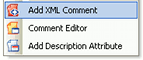 Let VSdocman automatically comment your code. Don't author the XML comments and common phrases manually. Intelligent comment templates make it significantly easier to write comments.
Comment editor
 Make your XML comments better. Use the WYSIWYG comment editor to insert tables, lists, pictures, links and other formatting directly in your XML doc comments.
Class diagrams
 Add clickable class diagrams anywhere in your documentation.
Complete authoring solution
 Create a complete end-user manual with your own topics, such as overview, examples, license agreement, usage descriptions, etc.
VS help integration
Fully integrate generated help into Visual Studio help system including IntelliSense and F1 context sensitive help. Your assemblies will look like a part of the .NET framework.
Simple deployment
Easily deploy and register the documentation on target computers. No more troubles during installation.
Command line mode
Generate documentation in a command line mode during your automated builds.
Learn more about VSdocman features.
What you get with VSdocman:
- All in one solution. You can create complex comments, generate VS documentation and then deploy and register it. Everything directly from Visual Studio.
- Professional documentation of your code can be created in seconds for your customers, clients, you and your co-developers.
- Consistency. All changes in the code are automatically reflected in newly generated documentation, which is always up to date and accurate.
- Documentation in various formats and languages can be produced with just a few mouse clicks.
- Efficient communication within a team, especially when a source control is used (e.g. TFS, Subversion, GIT or SourceSafe). Each developer comments his part of code. Everybody in the team can then see the comments, get an on-line help and use IntelliSense tooltips to easily understand the code.
- The source code is precisely commented and looks professional.
VSdocman works as an extension for:
- Visual Studio 2026
- Visual Studio 2022
- Visual Studio 2019
- Visual Studio 2017
VSdocman requires .NET framework 4.7.2 or higher.
Documented projects may target any .NET framework, including 1.0, 1.1, 2.0, 3.0, 3.5, 4.0, 4.5, 4.6, 4.7, 4.8, .NET Core 3 and higher.
If you want the support for Visual Studio 2013 and 2015, then you need to use the older version 10.0.
If you want the support for Visual Studio 2012, then you need to use the older version 8.6.
If you want the support for Visual Studio 2005, 2008 and 2010, then you need to use the older version 7.6.
If you want the support for Visual Studio .NET 2003 and 2002, then you need to use the older version 5.5.