


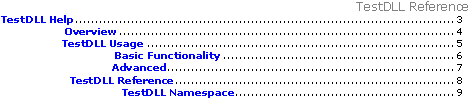
When you generate an RTF documentation and open it in Microsoft Word or free Microsoft Word Viewer, you usually don't see the page numbers in table of contents and index.


The numbers in TOC and INDEX are implemented as fields. Usually, Word
doesn't automatically update them. When the fields are updated, the output should look as follows:

Solution
- To update the fields in MS Word just do Print preview.
- To update the fields in MS Word Viewer, navigate to View menu. Switch from Print Layout to Normal and then back to Print Layout.
Then save the RTF document to store the changes.